The product
The proposal and engagement layer for technical sales.
One place to build a branded proposal with the right technical detail, send it as a tracked web link, and see exactly what happens after it lands. Quovia works alongside your CRM and quoting tools, not on top of them.
01 Build
A branded proposal with specs built in.
02 Send
A tracked link, not an attachment.
03 See
Opens, viewers, and attention.
04 Act
Follow up at the right moment.
01 Build
A branded proposal, with the right technical detail built in.
Your team builds a proposal that looks like your company, not a Word document or a PDF attachment. Equipment and technical specifications are part of the proposal itself, so the client never receives the wrong model, rating, or figure.

Branded, client-ready, and readable in the browser. Demonstration vendor and data.
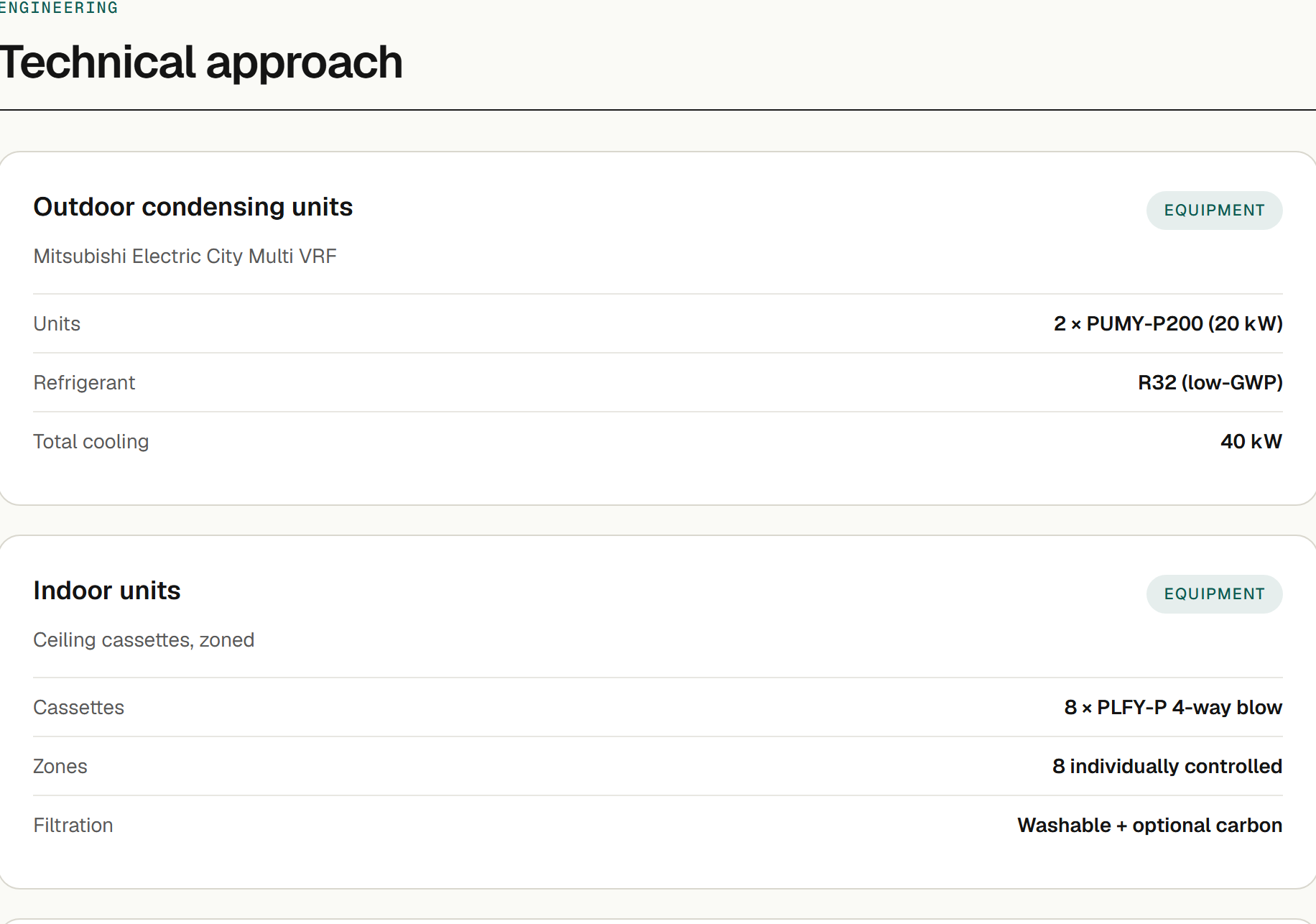
Define a shared equipment library once, then reuse those items across proposals so specs stay consistent — no retyping technical data on every quote.
New Every format
The same proposal, however your client wants to receive it.
Some buyers read in the browser. Some want a PDF for the file. Some need slides to take into a board meeting. Build the proposal once, and Quovia gives you all three — the tracked link, a branded PDF, and a client-ready PowerPoint deck — each a single click away, each in your brand.
Branded PDF. The full proposal as a polished document for the file — the same content the client reads online.
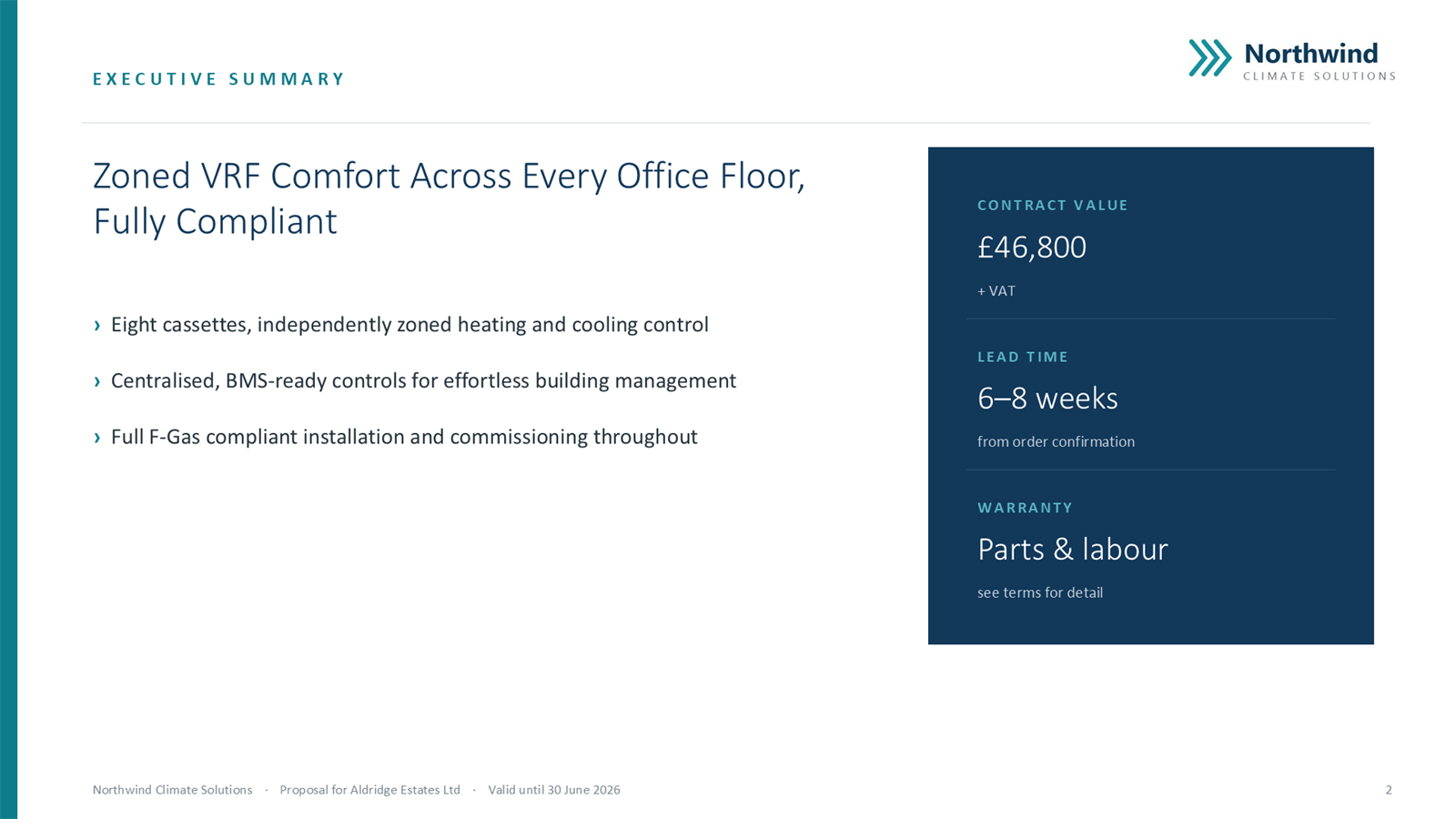
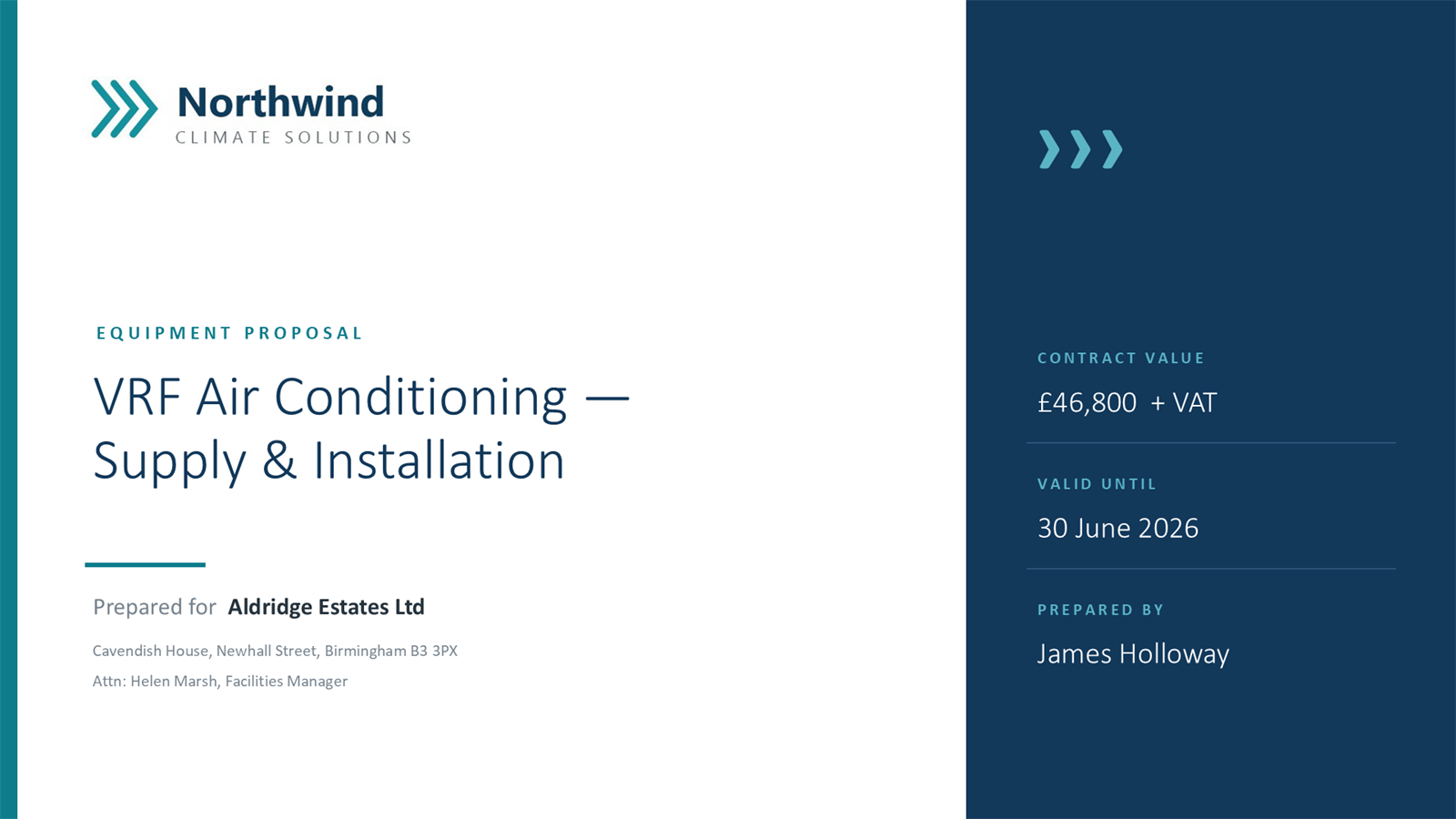
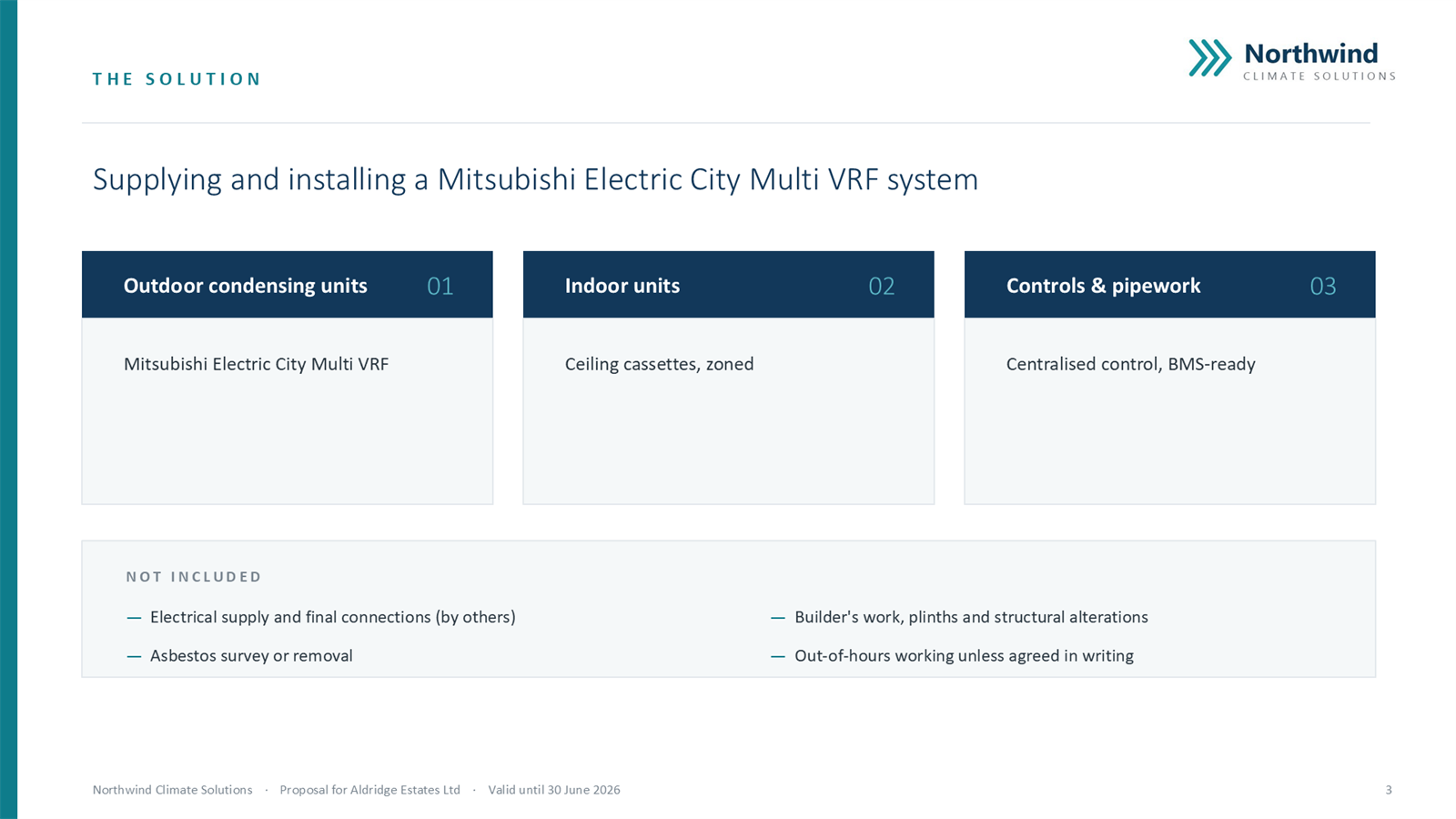
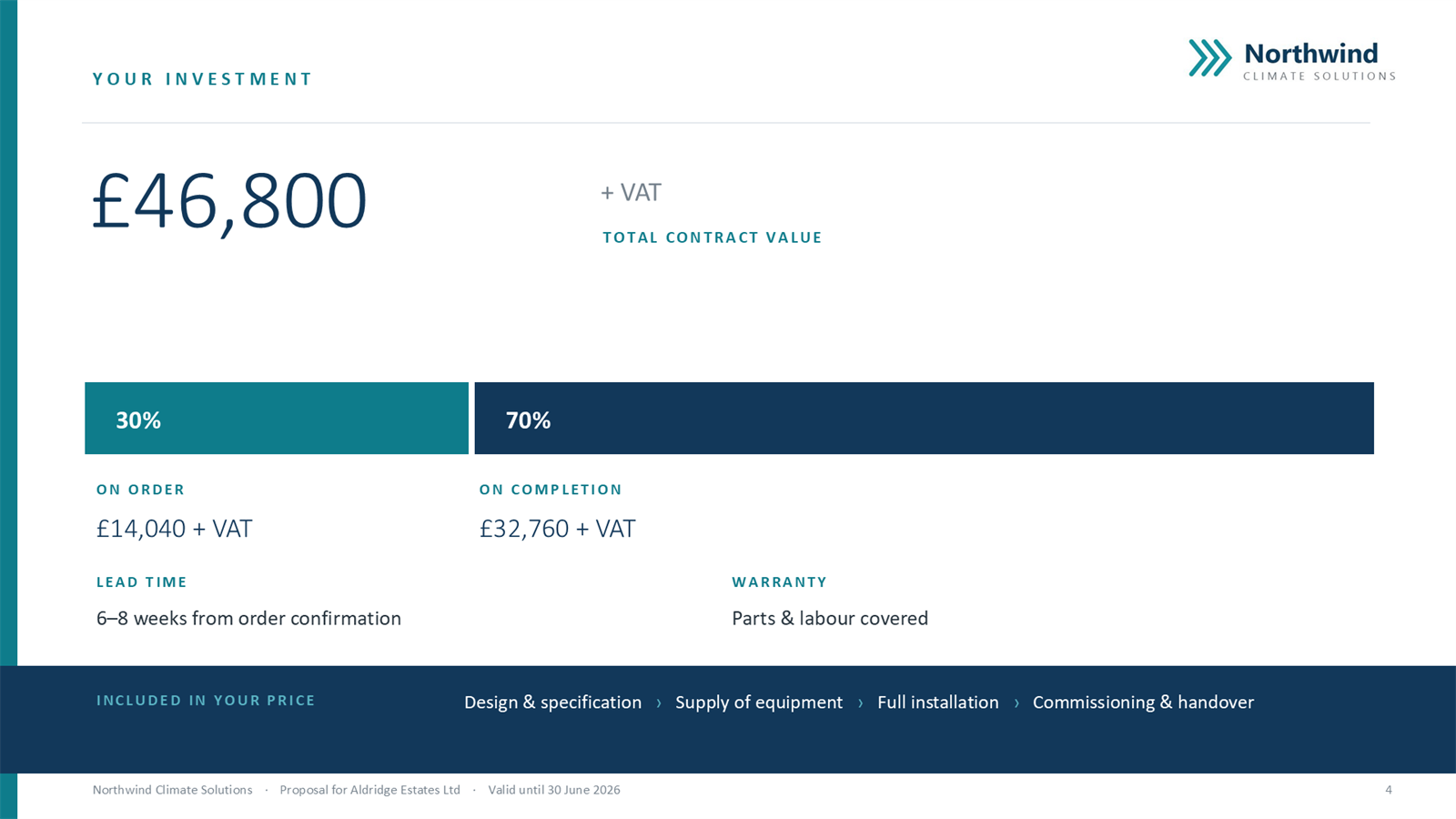
PowerPoint deck. A full slide deck generated from the proposal, with an AI-written executive summary — ready to present. Demonstration brand and data.
02 Send
A tracked link, not a dead attachment.
Send one secure link instead of a static file. The buyer gets a cleaner reading experience with nothing to download or install, and every open and view is recorded from the moment it lands.
- One link, shareable across the buying group.
- Recipient verification before the proposal opens.
- Accept online, with a recorded, authorised acceptance.
Static attachment
Sent, then invisible. No idea if it was opened, forwarded, or read.
Quovia tracked link
Sent, then visible. Opens, re-opens, viewers, and attention, in real time.
03 See
See exactly what happens after the send.
This is the part most teams never get. Quovia shows when a proposal is opened and revisited, when it reaches more than one stakeholder, and which sections hold attention. You stop guessing whether it landed and start reading the signals.
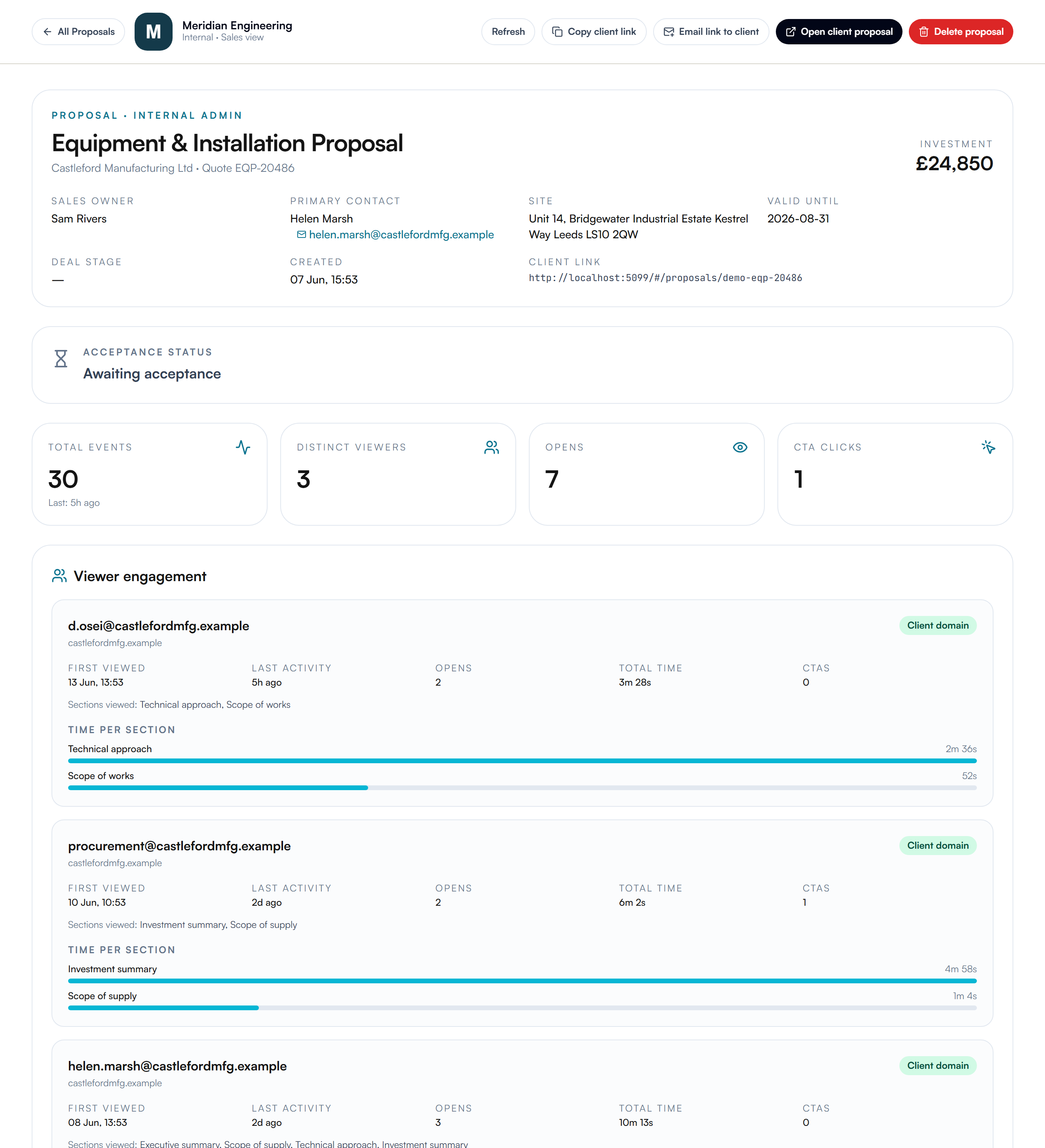
The engagement view: opens, distinct viewers, section attention. Demonstration data.
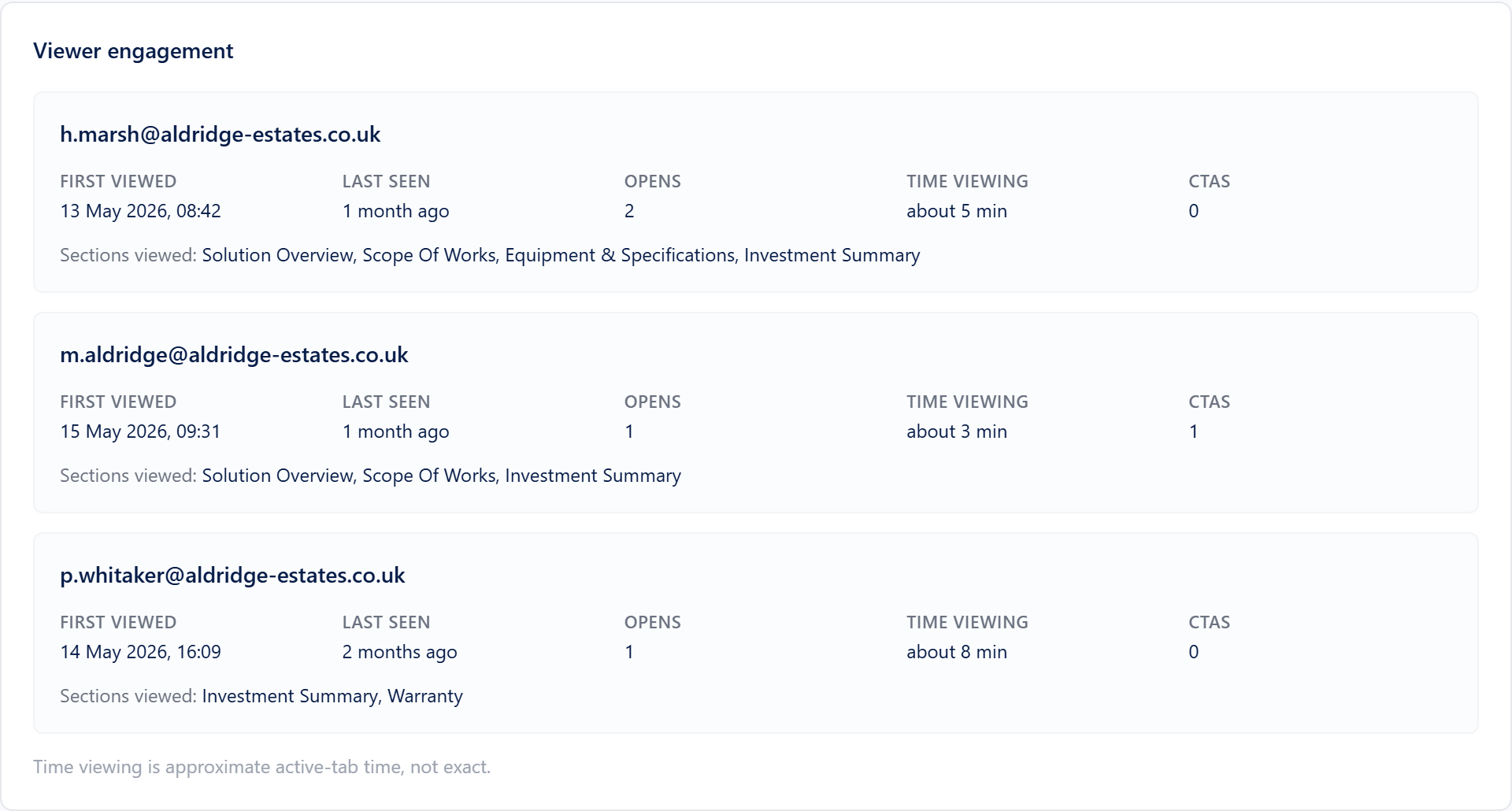
Down to the individual viewer.
See who opened the proposal, how long they spent, and which sections they read. When procurement lingers on price and operations reads the technical detail, that is your follow-up, written for you.
- Opens and re-opens, with timing.
- Multiple viewers across a buying group.
- Time on each section, so you know what they care about.
04 Act
Follow up with timing, not guesswork.
When you can see that a proposal has been reopened, shared internally, or read closely on price, you follow up at the right moment with the right message. That is the difference between chasing blind and moving when it counts.
Know when to act
Reach out when a proposal is reopened or shared, not on a generic three-day timer.
Know what to say
Walk into the next call already knowing which section drew the attention, and the likely objection.
Keep commercial control
Fewer deals stall in silence when your team can see the buying group engaging and respond.
Where it fits
It works alongside your CRM and quoting tools. It does not replace them.
Your CRM tracks the relationship and your quoting tools price the work. Quovia is the layer in between: the proposal the buyer actually reads, and the engagement signals that come back after it is sent. It adds the visibility the rest of your stack was never built to give.
Best fit
Built for proposal-led technical sales.
Quovia is for teams selling higher-value technical work, where proposals carry real detail and are reviewed by more than one person. It is less suited to high-volume transactional quoting or simple one-page estimates. See use cases by industry.
See it on your own deals
See Quovia on a proposal like yours.
Book a short walkthrough and we will show you the build, the send, and the engagement view on a proposal that looks like your work.